User guide

Everything you need to know about
your family board

ADHDoIt is a shared task board for your whole family — add tasks by text or from the dashboard, get reminded every morning, and never lose track of what needs to happen.

Signing in

ADHDoIt doesn't use passwords. Just enter your phone number or email and we'll send you a magic login link. Click it and you're in — your session stays active for 30 days on that device.

Your family's sign-in page is at yourfamily.adhdoit.letsharkness.com. Bookmark it on your phone's home screen for instant access. To install as an app: tap the three-dot menu () in Chrome and select Add to Home Screen.
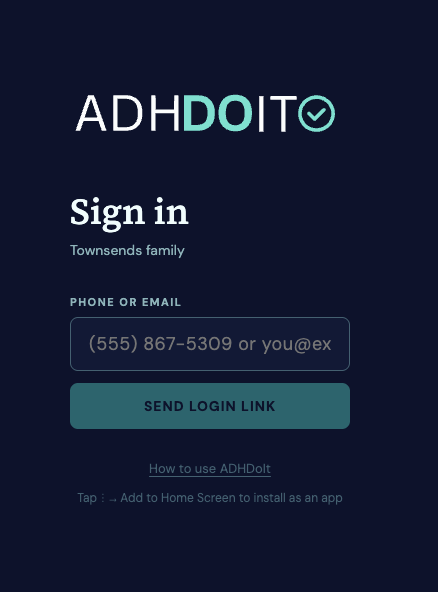
The ADHDoIt sign-in page

The sign-in page — enter your phone number or email to get a magic link.
02 — Home base

The dashboard

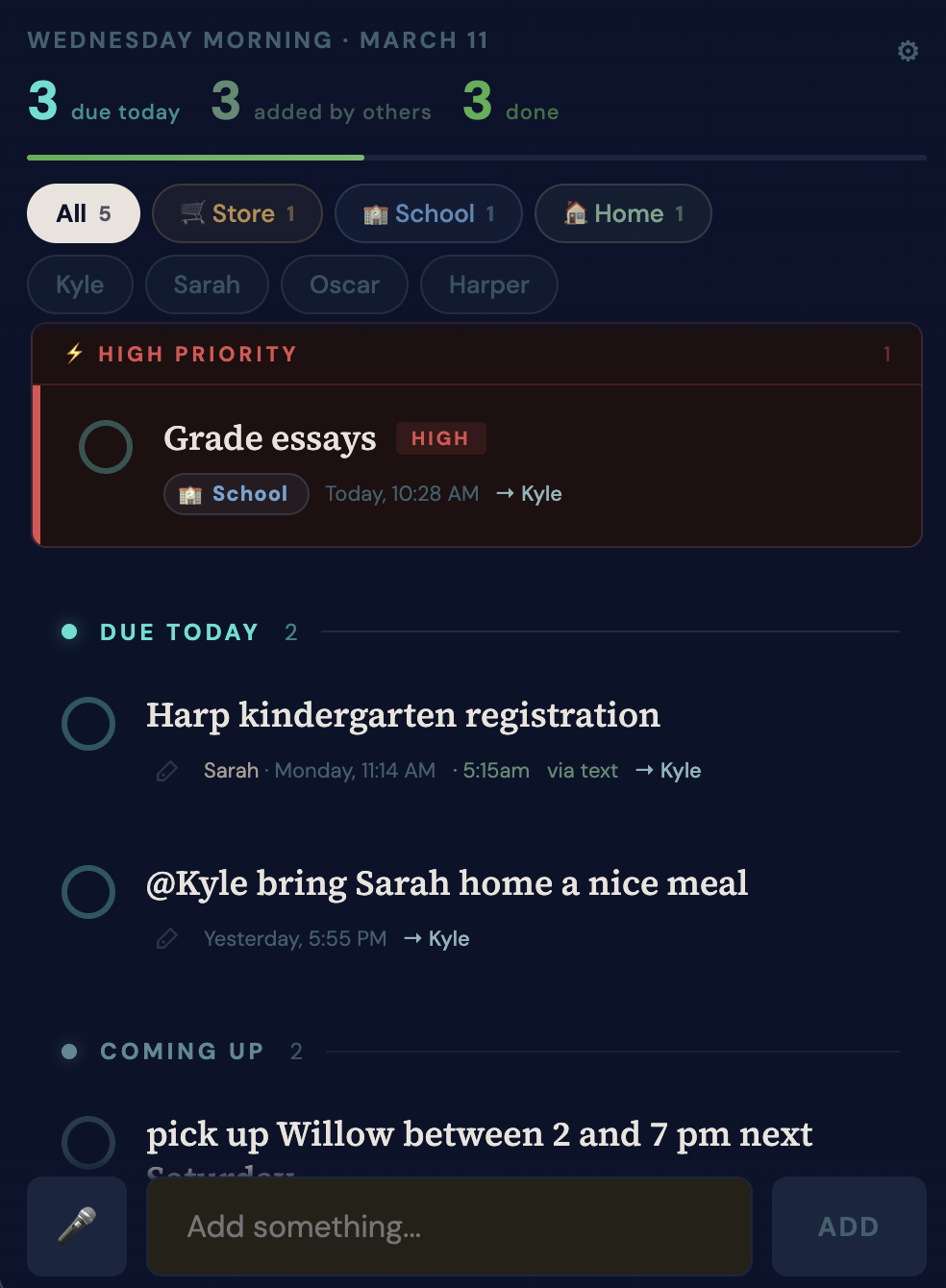
Your dashboard is organized by urgency. Tasks are grouped into four sections: Overdue, Due today, Coming up, and Everything else. Completed tasks drop to the bottom so your most pressing things are always at the top.

Each task shows its priority, due date, assigned family member, and context tag. You can complete, reassign, or relabel any task right from the board.

The ADHDoIt main dashboard

The dashboard — tasks grouped by urgency, with priority and context at a glance.

Adding tasks

There are two ways to add tasks — from the dashboard, or by texting your family's board number.

From the dashboard: Use the input bar at the bottom of the screen. Type your task and hit Enter (or tap Add). You can include priorities (!! or !), a due date, and a context all in one line.

By voice: Tap the 🎤 button next to the input. Speak your task — your words appear in the field as you talk, and it submits automatically when you finish. All the same syntax works: priorities, due dates, contexts, and @Name assignment. Voice input requires Chrome or Safari on HTTPS.

The add task input bar

The add bar — type and hit Enter, or tap 🎤 to speak your task.

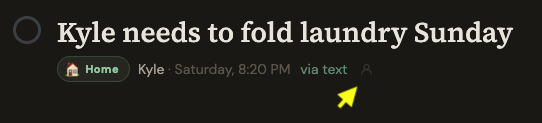
By text: Send any message to your family's board number. It shows up on the board immediately for everyone. You don't need to be logged in — just text it.

pick up Zoe from practice at 4pm tomorrow
You · just now
Got it — added "Pick up Zoe from practice" due tomorrow at 4:00 PM.
ADHDoIt
04 — Urgency

Setting priorities

Prefix your task with !! for high priority or ! for medium. No prefix means normal. Works the same whether you're adding from the dashboard or by text.

!! High Escalated at noon and 3 PM if not done. Reminder fires 1 hour before due time.
! Medium Reminder fires 2 hours before due time (or 2 hours after morning digest).
Normal Appears in daily digests. No escalation.
!! call cardiologist before Friday
You · just now
Added HIGH priority: "Call cardiologist" — due Friday.
ADHDoIt

Due dates & times

Just write when it's due naturally — ADHDoIt understands it. The date and time are pulled from your text automatically and stored on the task, so your task name stays clean.

You type What's stored
dentist tomorrow at 2pm Task: "Dentist" · Due: tomorrow · Time: 2:00 PM
call school Friday at 10am Task: "Call school" · Due: Friday · Time: 10:00 AM
pay rent next Monday Task: "Pay rent" · Due: next Monday
submit taxes by April 15 Task: "Submit taxes" · Due: April 15

You can also set or change a due date from the dashboard by clicking the date on any task.

06 — Texting your board

SMS commands

Text your family's board number to manage tasks without opening the dashboard. Any message that isn't a command is treated as a new task.

TextWhat it does
buy milkAdds a normal task
! pick up prescriptionsAdds a medium priority task
!! call insurance todayAdds a high priority task
dentist tomorrow at 3pmAdds a task with due date and time
every monday: team check-inAdds a recurring task
@Sarah clean the carAdds a task assigned to Sarah
#store grab napkinsAdds a task with the "store" context
listReplies with your open tasks
done dentistMarks the matching task complete
snooze dentist fridayPushes the due date to Friday

Contexts

Contexts help you filter tasks by where or how they happen. ADHDoIt auto-detects the context from keywords in your task, or you can force one with a #tag.

🛒 #store 🏫 #school 🏠 #home 💻 #desk 🚗 #errands 📞 #phone

For example, "pick up eggs and bread" is automatically tagged #store. "Call the doctor" gets #phone. You can also change the context on any task from the dashboard.

08 — Who's doing it

Assigning tasks

You can assign a task to a family member from the dashboard by clicking the assignee on any task, or by starting your text with @Name.

@Kyle call the plumber tomorrow
Sarah · just now
Added "Call the plumber" — due tomorrow — assigned to Kyle.
ADHDoIt

Tasks can be assigned to multiple people. Everyone assigned to a task sees it in their digest.

The assignee picker on a task

Tap the assignee avatar on any task to reassign it from the dashboard.

Daily digests

Every morning and evening, everyone in the family gets a summary of what's on the board — by text and by email (if you've added an email address). No surprises.

7:00 AM
Morning digest
What's due today, what's overdue, and what's coming up next.
8:00 PM
Evening recap
What got done today, and what still needs attention.

Digest times can be customized per family from the Settings panel in the dashboard. Each family member can opt out of digests individually.

Escalation: If a HIGH priority task is still open at noon or 3 PM on its due date, everyone on digests gets an additional alert — so nothing critical slips through.

10 — Things that repeat

Recurring tasks

Prefix a task with a cadence and a colon to make it repeat automatically. When you mark it done, the next occurrence is created for you.

You typeRepeats
every day: take vitaminsDaily
every monday: team standupEvery Monday
every friday: weekly reviewEvery Friday
weekly: clean bathroomsEvery week

Recurring tasks show a repeat indicator on the dashboard. Completing one checks off today's instance and queues up the next — so the task is always there when you need it.

You're all set.

Head to your family's board and start adding tasks. It gets easier every time.

Go to your board →